
Description
These devices communicate on a Z-Wave mesh network. Therefore, a Z-Wave network hub or stick is required. A Home Assistant integration is available and a Z-Wave USB stick can be plugged directly into the NAS, and accessed by Home Assistant even if Home Assistant is running as a VM on the NAS.
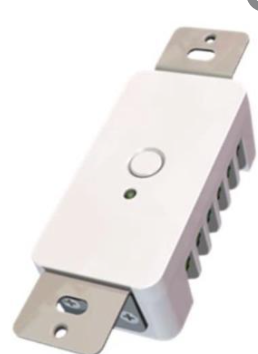
Overview
My Implementation
These devices communicate on a Z-Wave mesh network. Therefore, a Z-Wave network hub or stick is required. A Home Assistant integration is available and a Z-Wave USB stick can be plugged directly into the NAS, and accessed by Home Assistant even if Home Assistant is running as a VM on the NAS. UNUSED Remotec Zwave Dry Contact Fixture Module Z-Wave Home Assistant Integration Initially was Fireplace Control. Replaced with ESP01 GE Z-Wave Plus In-Wall Smart Motion ON/OFF Switch – 2693 Z-Wave Motion Activated Home Assistant Integration Used in my garage and network closet Zooz Z-Wave Plus S2 USB Stick ZST10 Z-Wave Network Controller Covers.
Device Score Summary
| Category | Score | Rationale |
|---|---|---|
| Features | ★★★☆☆ | Core capabilities documented; model-specific depth varies. |
| Interoperability | ★★★☆☆ | Integration available via Z-Wave JS. |
| Setup Ease | ★★★☆☆ | Typical setup for this device category. |
| Cloud Dependency | ★★★☆☆ | Depends on integration and firmware options. |
| Vendor Trust | ★★★☆☆ | Based on available documentation and product lineage. |
| Overall | ★★★☆☆ | Solid option when matched to the right use case. |
★★★★★ Exceptional | ★★★★☆ Very Good | ★★★☆☆ Good Enough | ★★☆☆☆ Frustrating | ★☆☆☆☆ Avoid