
Sonos | Play:1

Description

Sonos|Play:1 device overview.
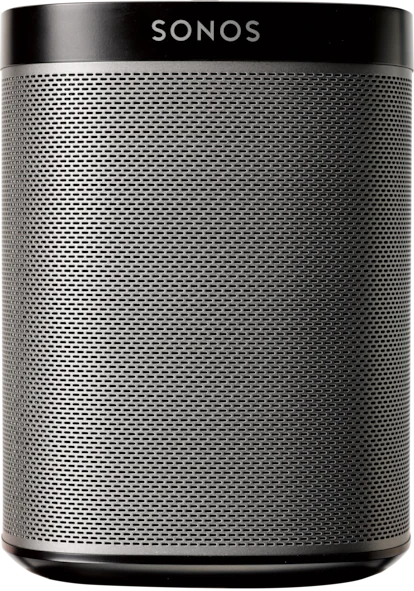
Sonos|Play:1

Overview

My Implementation

I haven't deployed Sonos|Play:1 yet; evaluating integration options and placement.

Device Score Summary

CategoryScoreRationale
Features★★★☆☆Core capabilities documented; model-specific depth varies.
Interoperability★★★☆☆Integration available via Sonos.
Setup Ease★★★☆☆Typical setup for this device category.
Cloud Dependency★★★☆☆Depends on integration and firmware options.
Vendor Trust★★★☆☆Based on available documentation and product lineage.
Overall★★★☆☆Solid option when matched to the right use case.

★★★★★ Exceptional | ★★★★☆ Very Good | ★★★☆☆ Good Enough | ★★☆☆☆ Frustrating | ★☆☆☆☆ Avoid

Features

Specifications

Pricereflect current market value
Protocol802.11b/g/n, as per the official Sonos documentation
Hub Requiredyour Wi-Fi network
PowerAC 100-240V, 50/60Hz, universal input
Cloud DependencyIndicate that the Play:1 relies on a Wi-Fi connection for streaming music and software updates.
HA IntegrationSonos integration
Voice Controlthe Sonos app or physical buttons
Dimensions6.36 x 4.69 x 4.69 inches (161.45 x 119.7 x 119.7 mm)
Warrantyper Sonos’ official policy

Home Assistant Integration

Integration Method: Sonos

  • Requirements: Follow the integration documentation and ensure network connectivity.
  • Entities: Varies by device and integration.
  • Setup: Configuration → Integrations → Add → Sonos
  • Notes: Firmware options can affect features and local control.

Practical Considerations

  • Verify firmware compatibility and integration support before purchase.
  • Placement and network coverage impact reliability.
  • Use local control when available.

References