
Description
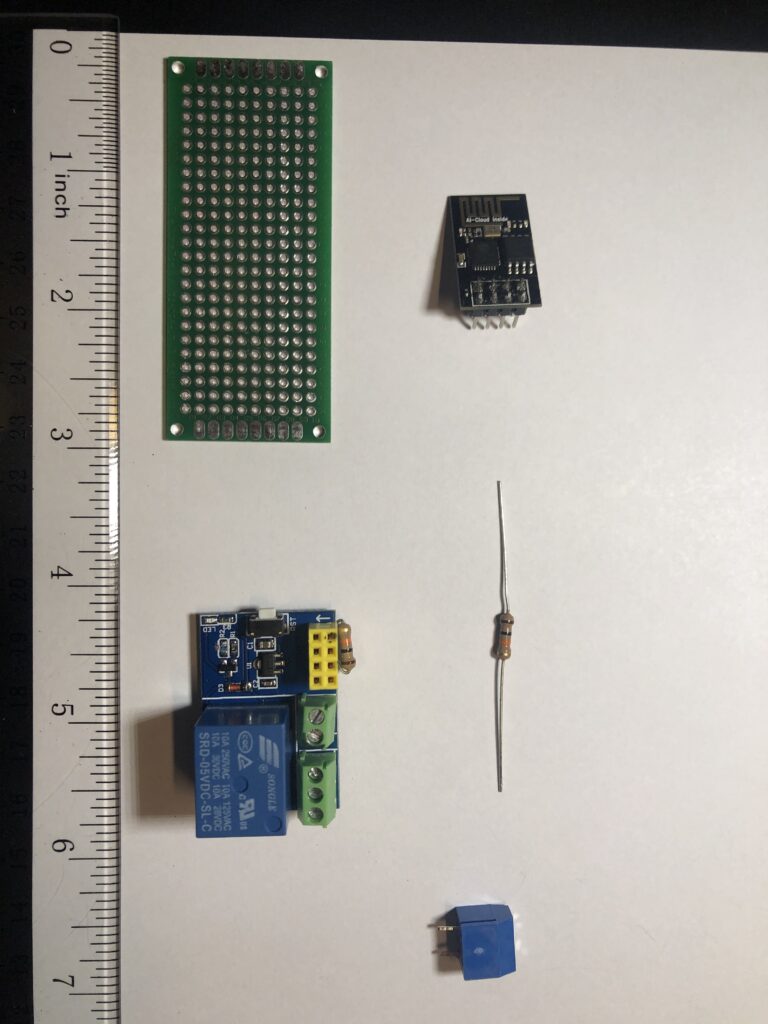
This is my most used switch in the house (at least in the winter). I started with a $80 Z-wave switch an had reliability issues. Below is my DIY solution that has worked without fail now for 3+ years. I use Tasmota firmware on an ESP-01S with components below for less than $10. Future options could include incorporating a rechargeable battery.
Overview
My Implementation
This is my most used switch in the house (at least in the winter). I started with a $80 Z-wave switch an had reliability issues. Below is my DIY solution that has worked without fail now for 3+ years. I use Tasmota firmware on an ESP-01S with components below for less than $10. Future options could include incorporating a rechargeable battery. Components DIY ESP-01, and Relay Board.
Device Score Summary
| Category | Score | Rationale |
|---|---|---|
| Features | ★★★☆☆ | Core capabilities documented; model-specific depth varies. |
| Interoperability | ★★★☆☆ | Integration available via Z-Wave JS. |
| Setup Ease | ★★★☆☆ | Typical setup for this device category. |
| Cloud Dependency | ★★★☆☆ | Depends on integration and firmware options. |
| Vendor Trust | ★★★☆☆ | Based on available documentation and product lineage. |
| Overall | ★★★☆☆ | Solid option when matched to the right use case. |
★★★★★ Exceptional | ★★★★☆ Very Good | ★★★☆☆ Good Enough | ★★☆☆☆ Frustrating | ★☆☆☆☆ Avoid